Lo-Fi TryHackMe Walkthrough – This blog provides a complete walkthrough of the Lo-Fi room on TryHackMe. It is a web-based Capture the Flag (CTF) challenge, designed especially for beginners. Moreover, you only need basic knowledge of Local File Inclusion (LFI) and general file inclusion concepts to solve it. Overall, the room is simple, beginner-friendly, and a great starting point for learning web vulnerabilities.
What is LFI ( Local File Inclusion ) Vulnerability ?
Local File Inclusion (LFI) is a web security flaw that occurs when a web application loads files based on user input without proper validation. If the input is not sanitized, an attacker can trick the server into including sensitive files from the local filesystem. This allows unauthorized access to system files, configuration data, or even code execution in certain setups.
Lo-Fi Walkthrough is a good start to understand LFI vulnerability.
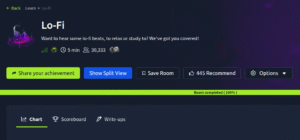
1. Start target machine and victim machine and wait for few seconds.
2. Perform open port Scan using the below nmap command: –
nmap -Pn -sVC 10.64.186.205
3. Two ports are open port no 22 and 80.
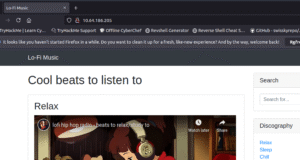
4. Open the IP in the web browser. A web app Lo-Fi Music is running on port no 80.
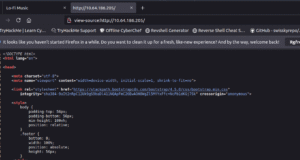
5. Whenever you see a web page first go for view page source. By right clicking on the web page and clicking on the view page source. In this case nothing interesting found here as visible in the below screenshot.
6. Go back on the web page and try to explore the different menus under discography. We can see on the URL is changing with a page parameter.
7. After clicking on the sleep menu under discography we can see the below URL.
http://10.64.186.205/?page=sleep.php
8. At the place of sleep.php type “../../../../../../../../etc/passwd” and press enter.
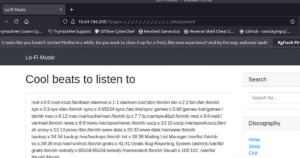
9. Passwd file content is visible. Means the web app is Vulnerable against LFI Vulnerability.
10 By typing the the payload ../../../../../../../../../flag.txt, will give you the flag.
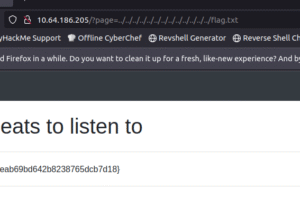
✅ Breakdown of payload in Simple Terms
-
The
../part means “go back one folder.” -
Repeating it many times (
../../../../…) means “keep going back to the previous directory over and over.” -
After going back enough times, the attacker reaches the root folder of the system.
-
Once at the root folder, the attacker points to a file they want to read, such as:
-
/etc/passwd→ contains user account information on Linux. - Note: – You can type ../ many times and the result will be same.
-
Because ../ means go back to one directory. But it maximum goes to root directory.
Visit Cyber Guidelines for more cyber security blogs.
Follow Cyber Guidelines on Linkedin Page.
Follow Cyber Guidelines on Instagram.