Cyber Security Awareness is very important in this digital world. How to beat hackers in their own game. Most common cyber attacks used by hackers and their precaution steps.
Disclaimer: - This post is for educational and awareness purposes only
Cyber Security Awareness
Topics: –
1. Phishing

It’s an attempt to steal sensitive financial or personal information through fraudulent email or instant messages. Phishing is very easy to execute.
Note: - To prevent phishing attack don’t click on malicious links and check the URL before filling sensitive credentials on a login page.
2. Shoulder Surfing

Shoulder surfing is a type of social engineering that is aimed at obtaining personal information through interpersonal contact.
In this attack attacker tries to monitor the user’s screen to steal sensitive information.
Note: - To protect this attack, make sure that no one is monitoring your screen or keyboard.
3. Dumpster Diving

Dumpster diving is looking for treasure in someone else’s trash. It’s a social engineering attack.
Note: - Make sure to destroy your sensitive credentials written on paper before throwing them in the dustbin.
4. Brute Force Attack
A brute force attack is a trial-and-error hacking method where attackers submit many queries until one is authenticated. This is a type of password attack.
Note: - To protect your password from this attack, make your password strong.
5. Dictionary Attack
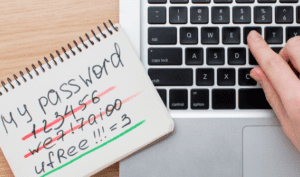
An attack that uses a list of words to try and guess password. The list which contains the passwords is known as wordlists.
Note: - To protect your password from this attack don’t use meaningful words in your password.
6. Tailgating

It’s a physical security threat in which an unauthorized individual gains entry to a restricted area by closely following an authorized person through a secure access point, such as a door or gate.
Note: - Make sure that no unknown person is following you when you are punching your card or finger to get access in restricted area.
7. Ransomware Attack
Ransomware is a type of malware that locks and encrypts a victim’s data, rendering it inaccessible until a ransom is paid.
Note: - Avoid downloading attachments from unknown email sources.
8. Juice Jacking

Juice jacking is a cyber attack in which an infected USB charging station is used to compromise devices that connect to it. The exploit takes advantage of the fact that a mobile device’s power supply passes over the same USB cable the connected device uses to sync data.
Note: - Don’t use public USB charging ports for charging mobile phones and other devices.
9. Evil Twin Attack

An evil twin attack is a spoofing cyberattack that tricks user into connecting to a fake Wi-Fi access point that mimics a legitimate network. Once a user is connected to an evil twin access point, hackers can access everything from their network traffic to private login credentials.
Note: - Do not connect with free or public Wi-Fi network.
10. USB Rubber Ducky

A USB Rubber Ducky is a device that looks like an ordinary USB flash drive but is actually a small computer that can very quickly execute a pre-programmed series of commands on a computer. It is usually used to execute many commands on a computer in a short time without requiring user interaction.
Hackers can throw this type of device nearer to your company.
Note: - Don’t insert an unknown USB drive into your system.
11. Wardriving

It is a method of hacking that can allow unauthorized users to gain access to a Wi-Fi network. Once inside the network, hackers can access the computers and devices that are connected to the network, install malware, and steal information such as private files or credit card information.
Note: - Make sure your Wi-Fi password is strong.
12. Baiting

As mentioned above, baiting is a kind of attack where a social engineer will use a false promise or reward to trap victims and steal their sensitive information by infecting their systems with malware.
Note: - You can prevent baiting by being wary of tempting offers and not plugging unknown devices into your computer.
13. Search Engine Phishing

Search engine phishing, also known as SEO poisoning, is where hackers create malicious websites that appear as top search results. Clicking these links directs you to the hacker’s site.
Note: - Always verify the domain before clicking on search engine results.
14. Wi-Fi Phishing

Wi-Fi phishing involves cyber criminals creating a fake Wi-Fi access point that appears similar to a legitimate one.
Note: - Keep in mind when you will see two Wi-Fi matching with your own Wi-Fi name don't type password on any Wi-Fi.
15. Cam Phishing

Cam phishing involves taking unauthorized photos using a target’s front camera or webcam. Attackers create a fake website and generate a link to trick the target into enabling their camera.
Note: - Avoid clicking random links and physically cover your webcam when not in use.
16. Man-In-The-Middle Attack

A man-in-the-middle (MITM) attack is a cyber attack where a threat actor intercepts and manipulates communications between two parties, typically a user and an application. The attacker can use this intercepted data for malicious purposes, such as making unauthorized purchases or gaining unauthorized access.
Note: - Use secure protocols like SSH and HTTPS to protect against MITM attacks.
17. Trojan

A Trojan Horse Virus is a type of malware that tricks users by appearing as legitimate software. Once downloaded, it can give attackers access to your system. Often, this is achieved through social engineering, where the attacker disguises malicious code within seemingly harmless programs.
Note: - Download software's only from trusted resources.
18. Eavesdropping

Eavesdropping is a cyberattack where hackers intercept communications to steal sensitive data. They use devices like microphones and cameras to capture conversations and convert them into electronic signals for unauthorized access.
Note: - Ensure privacy during sensitive phone calls to avoid eavesdropping.
19. Spyware

Spyware is malicious software that secretly infiltrates your device, collects data, and transmits it to third parties without your consent.
Note: - Only download files from trusted sources to minimize the risk. Don't keep unused apps in you mobile phone.
20. Password Reuse

Reusing passwords across multiple accounts poses a significant security risk, especially if a data breach occurs.
Note: - Enable two-factor or multi-factor authentication (2FA/MFA) for all online accounts.
21. RFID Skimming

RFID skimming is a technique used to steal payment card information using an RFID reader.
Note: - Be cautious, especially when in a rush, as attackers may take advantage.
22. RFID Blocker

RFID-blocking shields prevent unauthorized access to your RFID-enabled cards by blocking signals.
Note: - Use RFID-blocking card covers if you use contactless payment systems.
23. Keylogger
Also known as a keystroke logger, keyloggers can track the real-time activity of a user on his computer. It keeps a record of all the keystrokes made by user keyboard. Keylogger is also a very powerful threat to steal people’s login credential such as username and password.
It may be hardware, software and mobile.
Note: - To prevent keylogger attacks download resources from trusted sources only and use virtual keyboard for filling sensitive credentials.
24. Best password practices
Create passwords with more than eight characters.
Avoid using common words and personal information to create passwords.
Use uppercase, lowercase and special characters.
Use unique passwords for different accounts.
Change your default passwords.
Avoid password reuse.
Note: - Avoid password reuse and use multi-factor authentication (2FA/MFA) for all online accounts.
25. Symbols of a Phishing email
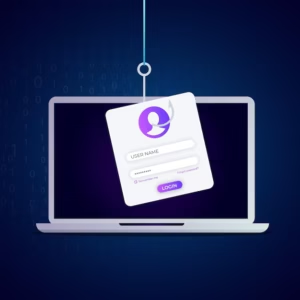
When dealing with phishing emails, look out for these warning signs: –
•The message creates a sense of urgency.
•There are suspicious links.
•The email includes suspicious attachments or links.
• Email is poorly written.
• Domain name is misspelled.
Note: - Prevent phishing by staying informed and cautious.
26. Windows Sandbox
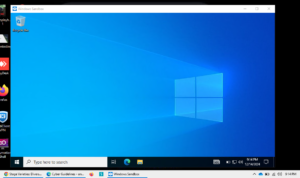
Windows Sandbox provides a lightweight desktop environment to safely run applications in isolation. Any software installed inside the Windows Sandbox environment remains contained and operates separately from the host machine.
Steps to Activate: –
Go to “Turn Windows features on or off.”
Select the Windows Sandbox feature and save.
Restart your computer.
You are now ready to use Windows Sandbox
Note: - Use sandbox to download suspicious email attachments and testing of suspicious software.
Educate yourself related to most common cyber attack precautions to keep yourself aware.
For more Cybersecurity Blogs Visit: – Cyber Guidelines
Images used in this blog including feature image taken from freepik.
I have directly worked with Ravi kumar. I really enjoyed being in company with Ravi. He is the true aspirant for cybersecurity.