In this blog you will get 10 Online and Mobile Security Tips to protect yourself from hackers. By following the guidelines and points mentioned in this blog you can beat hackers in their own game.
Disclaimer: - This post is for educational and awareness purposes only.
10 Common Online and Mobile Security Tips: –
1. Homograph

In cybersecurity, a homograph attack exploits similar-looking characters in domain names, such as replacing the Latin “o” with a Cyrillic “о” to create phishing websites.
Note: - Always check spelling mistake of the domain name before putting your sensitive details.
2. Search Engine Phishing

Search engine phishing, also known as SEO poisoning, is where hackers create malicious websites that appear as top search results. Clicking these links directs you to the hacker’s site.
Note: - Always verify the domain before clicking on search engine results.
3. Cam Phishing
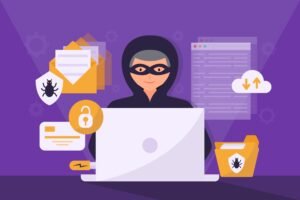
Cam phishing involves taking unauthorized photos using a target’s front camera or webcam. Attackers create a fake website and generate a link to trick the target into enabling their camera.
Note: - Do not click on any random link and also try cover your laptop web cam physically by using web cam cover or a tape.
4. Virus total
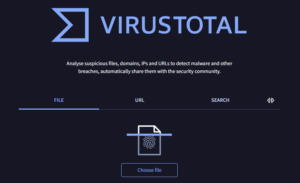
Virus Total is a powerful online tool designed to examine suspicious files and URLs, identifying various types of malware and malicious content through antivirus engines and website scanners. With its user-friendly interface and accessible API, clients can easily access the valuable information generated by Virus Total.
Note: - Whether you have concerns about a potentially harmful file or URL, Virus Total offers a reliable solution for thorough analysis and peace of mind.
5. Software Updates
In software development, updates are crucial. They let developers add new features, fix bugs, and tweak the product. When vulnerabilities are found, developers release patches to fix them.
Note: - It's important to regularly update your software, mobile apps, etc. For security and performance improvements.
6. Mobile Apps
Always install mobile apps from trusted sources only. It better to uninstall unused apps for security reasons and device performance improvement.
Note: - Always use updated mobile apps and not give access permissions to any mobile app.
7. USB Rubber Ducky
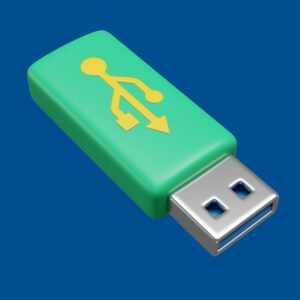
A USB Rubber Ducky appears like a regular USB flash drive but functions as a tiny computer capable of rapidly executing programmed commands on a computer. Its purpose is to execute numerous commands on a computer swiftly and automatically, without any need for user input. Hackers may deploy such devices in close proximity to your company’s premises.
Note: - Avoid connecting unfamiliar USB drives to your computer system to mitigate potential risks.
8. Vishing

Vishing is a social engineering attack conducted via phone calls, where callers attempt to obtain your personal information for fraudulent purposes. This could include details such as your bank account information.
Note: - It's important not to trust unexpected or random phone calls.
9. Viruses
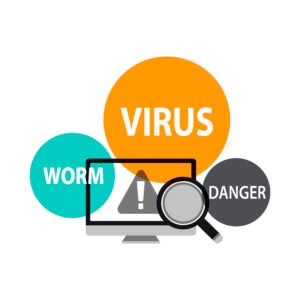
A virus is a harmful software secretly installed on a user’s computer, aiming to disrupt or disable its functions.
Note: - Always download software's from trusted sources only.
10. Best Password Practices
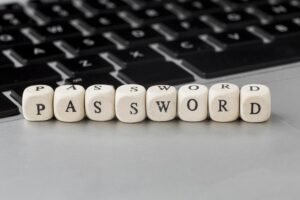
- Generate passwords containing over eight characters,
- Refrain from using common words or personal details in your passwords,
- Incorporate uppercase, lowercase, and special characters into your passwords,
- Utilize distinct passwords for each of your accounts,
- Ensure to change default passwords promptly.
Note: - Use 2-F authentication for online accounts.
For more Cybersecurity Blogs Visit: – Cyber Guidelines
Images used in this blog including feature image taken from freepik.